
Sculpt pristine audio with professional precision
Adobe Audition is a digital audio workstation designed for recording, editing, mixing, and restoring audio. It sits in the audio production and post-processing genre, commonly used for podcasts, voiceovers, music editing, and sound design. Instead of focusing on music composition alone, it emphasizes cleaning and refining audio, which creates a professional audio editing workflow built around precision.
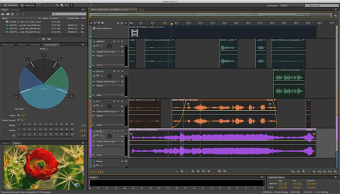
Adobe Audition’s interface is organized into waveform and multitrack views, allowing users to switch between detailed edits and layered compositions. Visually, it prioritizes clarity, with frequency displays and timelines that make it easier to identify and adjust sound.
From raw recordings to polished output
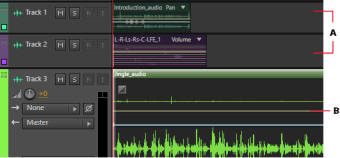
As an audio tool, Adobe Audition provides a wide range of editing and restoration features. Users can cut, trim, and arrange clips while applying effects such as equalization, compression, and reverb. This results in a multitrack editing system that supports complex projects with multiple audio layers. The waveform editor allows precise adjustments at a detailed level, making it possible to remove noise, fix distortions, or enhance clarity with accuracy.
It integrates well with other Adobe software, making it easier to move between video editing and audio post-production. The tools are designed to improve clarity, reduce noise, and balance sound, which makes it particularly useful for dialogue-heavy content. At the same time, it is not primarily a music production tool compared to other digital audio workstations, which may limit its appeal for users focused on composing.
Editing audio just got smoother
Updates to Adobe Audition have focused on improving performance and refining core features. Enhancements to multitrack editing responsiveness and faster processing speeds help handle larger projects more efficiently. Updates also include improvements to noise reduction tools, better support for modern audio formats, and fixes for stability issues during playback and export. Integration updates ensure smoother workflows with other Adobe applications, especially for video projects.
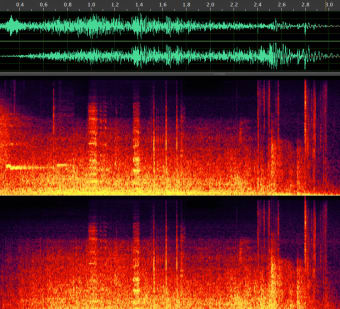
Spectral frequency displays allow users to see sound in a more detailed way, making it easier to locate unwanted noise or specific frequencies. Playback is accurate and responsive, ensuring that edits can be reviewed instantly. Audio monitoring tools provide feedback on levels and balance, helping maintain consistent quality throughout a project. This creates audio restoration tools environment where users can refine recordings to a professional standard. However, it has a steep learning curve.
A precise audio editor built for clean, professional results
Adobe Audition stands out as a strong choice for users who need detailed audio editing, restoration, and post-production tools in one polished workspace. Its waveform precision, multitrack flexibility, and noise-cleaning features make it especially valuable for podcasts, voice work, and video audio. However, its deeper toolset can feel intimidating at first, and it is less tailored to full music production. Even so, it remains a dependable and highly capable audio editor.